Esports Venue Management Software
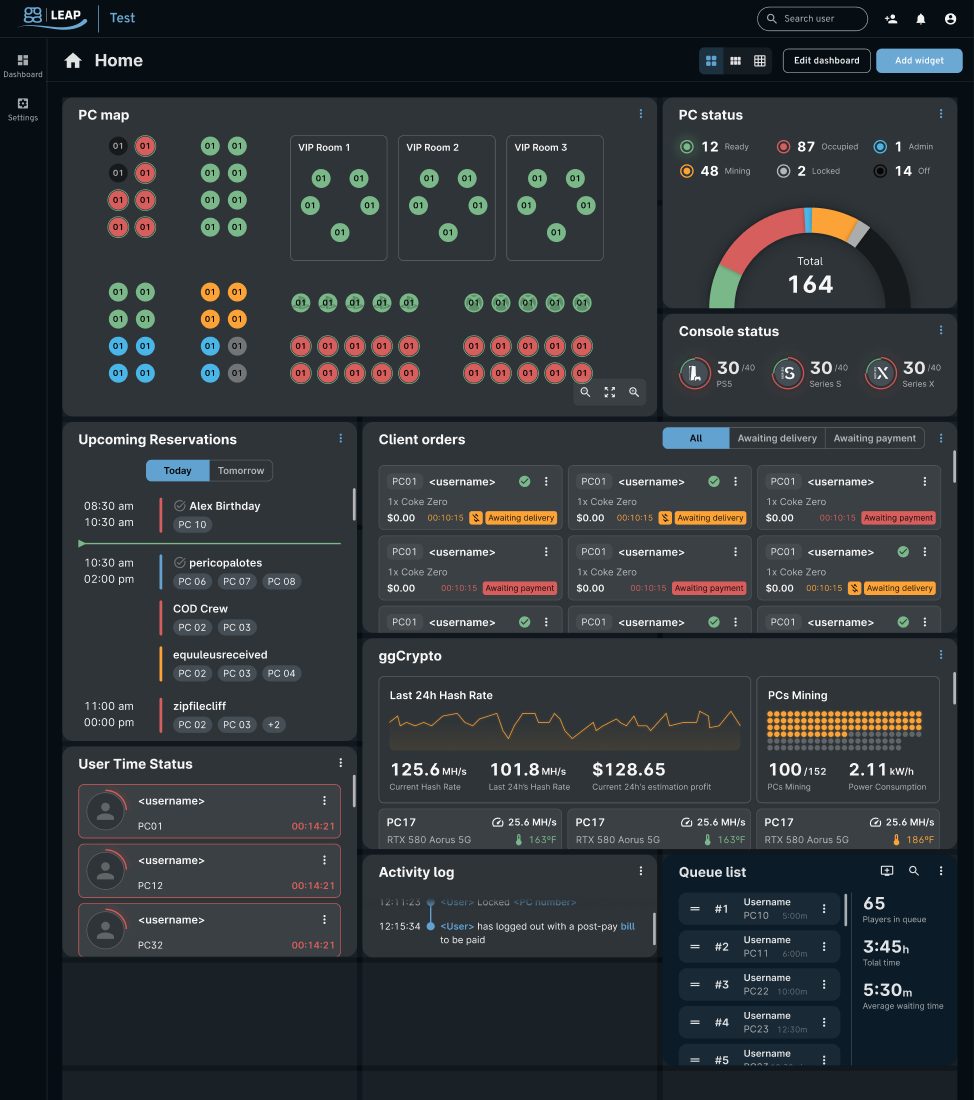
Esports venue management software helps run a gaming business from a single platform. It manages customer sessions, payments, game launching and licensing, and provides real-time monitoring and reporting for every PC and console. Instead of using multiple tools, day-to-day operations can be handled in one place.
This guide explains what esports venue management software does, its features, and how ggLeap, the venue management platform built by ggCircuit, addresses the needs of different types of venues.
How Esports Venue Management Software Works
Esports venue management software keeps your venue running smoothly. It manages bookings, customer sessions, payments, game launching, accounts licensing, and device monitoring—all from one platform.
In practice, this saves staff time. A customer buys gaming time, logs in at any available station, and their session starts automatically. When their time runs out, the session ends without staff intervention. Because every session is linked to an account, you also get accurate reporting on peak hours, popular games, and top-selling offers.
- Player accounts and authentication
- Time tracking and session billing
- PC reservations and bookings
- Point of sale for game time, food, drinks, and merchandise
- Game launching and license management
- Memberships, loyalty programs, and digital coupons
- Tournaments, challenges, and leaderboards
- Remote management, monitoring, and reporting
Who Needs It
Any business that offers gaming PCs or consoles can benefit from venue management software. LAN centers and cyber cafés use it to manage sessions and payments, esports arenas run tournaments, schools control student access, and hotels can offer self-service gaming stations.
Every venue has different priorities. A LAN center needs fast logins and reliable billing. A school focuses on account verification and game access. A hotel values automation that keeps stations running with little or no staff.
ggLeap supports all of these use cases, from small gaming lounges to multi-location venues, and can be alongside ggRock for diskless PC management.
Core Features to Compare
Bookings and the Player Web Portal
A booking system should work seamlessly from reservation to login. Players should be able to create an account, browse available games, book a PC, and pay online, while staff can manage everything from a single calendar.
With ggLeap, bookings, sessions, and payments all use the same system, helping prevent double bookings and giving staff a real-time view of every PC.
Point of Sale and Payments
Your POS should handle game time, food, drinks, merchandise, and event tickets in one place. ggLeap includes an integrated POS with secure Stripe card payments.
Because payments and player sessions are connected, purchased game time is available immediately, and reports combine retail sales and gaming revenue automatically.
Loyalty Programs
Loyalty programs encourage repeat visits. ggLeap supports memberships, digital coupons, and a coin-based rewards system that operators can customize.
You decide how coins are earned, what they're worth, and which rewards players can redeem, including free game time.
Remote Management
Web-based administration lets you monitor every PC, manage player sessions, send messages, and view reports from anywhere.
Multi-location venues can manage all sites from a single dashboard with centralized reporting.
Game Launching and Licensing
Managing game licenses can be tedious. ggLeap lets players launch games using venue accounts or their own accounts across platforms like Steam, Battle.net, and Epic Games.
Players launch games from a single interface, reducing support requests and simplifying access across multiple game launchers.
Tournaments and Player Engagement
Events help attract players during quieter hours. ggLeap includes tools for running tournaments, challenges, quests, and live leaderboards.
The built-in rewards system lets you encourage participation while controlling earn rates and prizes.
How ggLeap Fits Your Infrastructure
ggLeap manages players, bookings, payments, and day-to-day venue operations. For PC management, it integrates with ggRock, ggCircuit's diskless boot and imaging platform.
ggRock handles PXE boot, master images, and centralized game updates, while ggLeap manages the customer experience. Together, they keep every PC up to date and make it easy to restore machines with a reboot.
How to Choose Venue Management Software
Most venue management platforms offer similar features. What matters is how well those features work together, how easy the software is to manage, and the level of support you receive. When comparing platforms, consider the following:
- Integrated workflows: Online bookings, payments, and player sessions should work together without manual steps.
- Infrastructure support: Look for compatibility with diskless platforms like ggRock to simplify PC deployment and updates.
- Support: ggCircuit backs ggLeap with 24/7 live chat support, plus SpecOps managed services for operators who want experts handling the technical side.
- Free trial: ggLeap offers a free 30-day trial with guided setup, so you can test the full workflow on your own hardware before spending anything.
- Multi-location management: If you operate multiple venues, look for centralized reporting and administration.
- Access controls: Schools and universities should prioritize account management and content restrictions.
Start Your Free 30-Day Trial
Try ggLeap free for 30 days—no credit card required. Test every feature in your own venue before you commit.
Frequently Asked Questions
Get Started with ggCircuit
Get more information about our esports solutions